
Accounting for South African small businesses
Your books, on your own computer.
Pencil Books runs on a computer in your office, like Pastel always has. Invoices, bank statements, VAT, payroll and stock, for everyone on the office network, with your data kept by you, not on someone else's server.
Your data stays with you
The company's books live on your own computer, backed up every night to a second place you choose: a USB drive, a shared folder.
Keeps working offline
Everyone in the office keeps invoicing when the internet is down. It only needs the internet to check for updates.
Buy it once, or pay yearly
Pay yearly, or buy it outright and keep it. Five people can use it from the start, and you add payroll or stock only if you need them.
What it does
Everything a small business does every month
Made for South Africa from the start: SARS VAT201, PAYE, UIF and SDL, rand amounts and South African banks' statements.
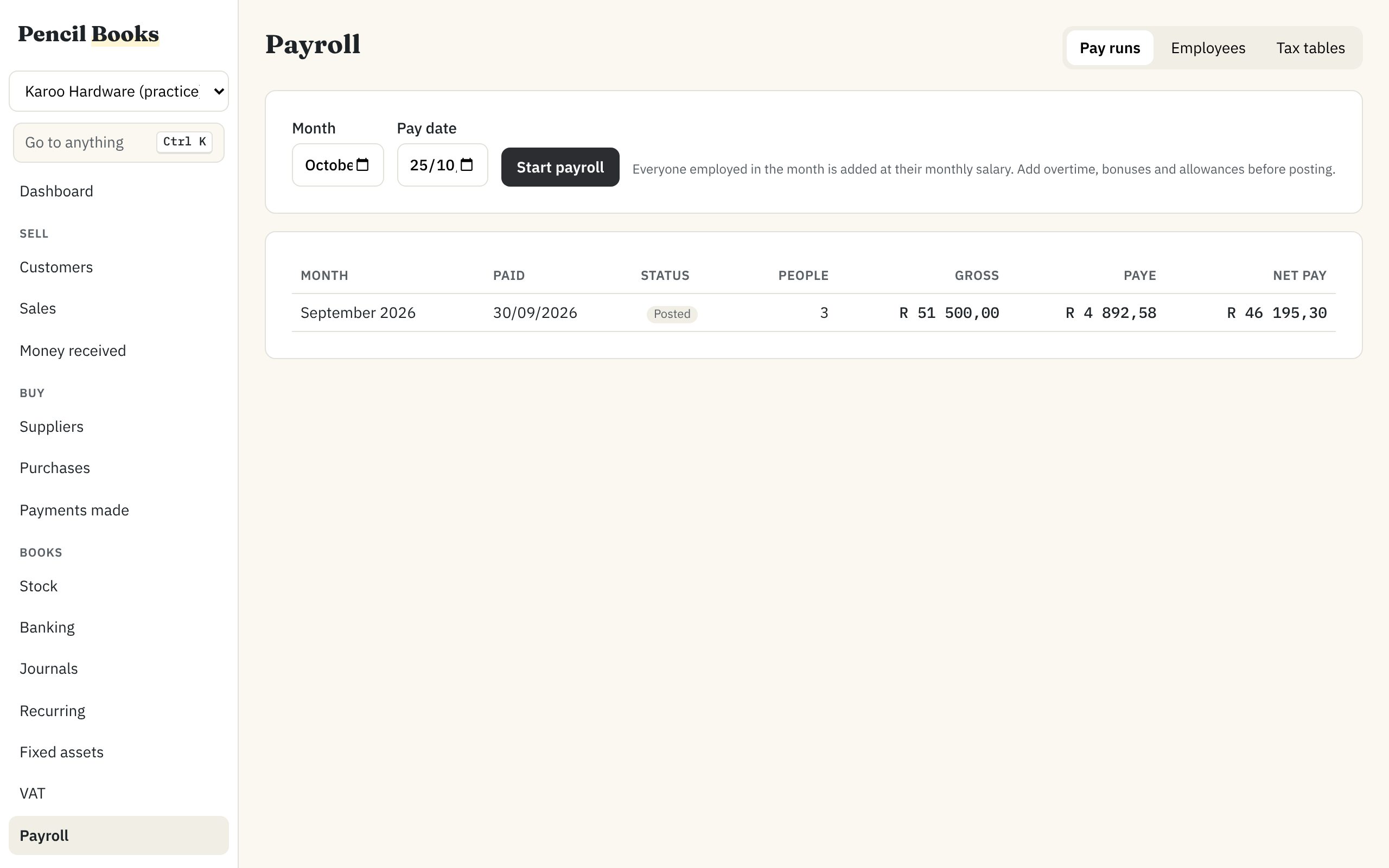
Invoices typed as fast as you talk
Quotes, orders, invoices and credit notes, typed from the keyboard: Enter moves along the line, F5 copies the field above. Email the PDF from the invoice, and let reminders go out by themselves when it is overdue.
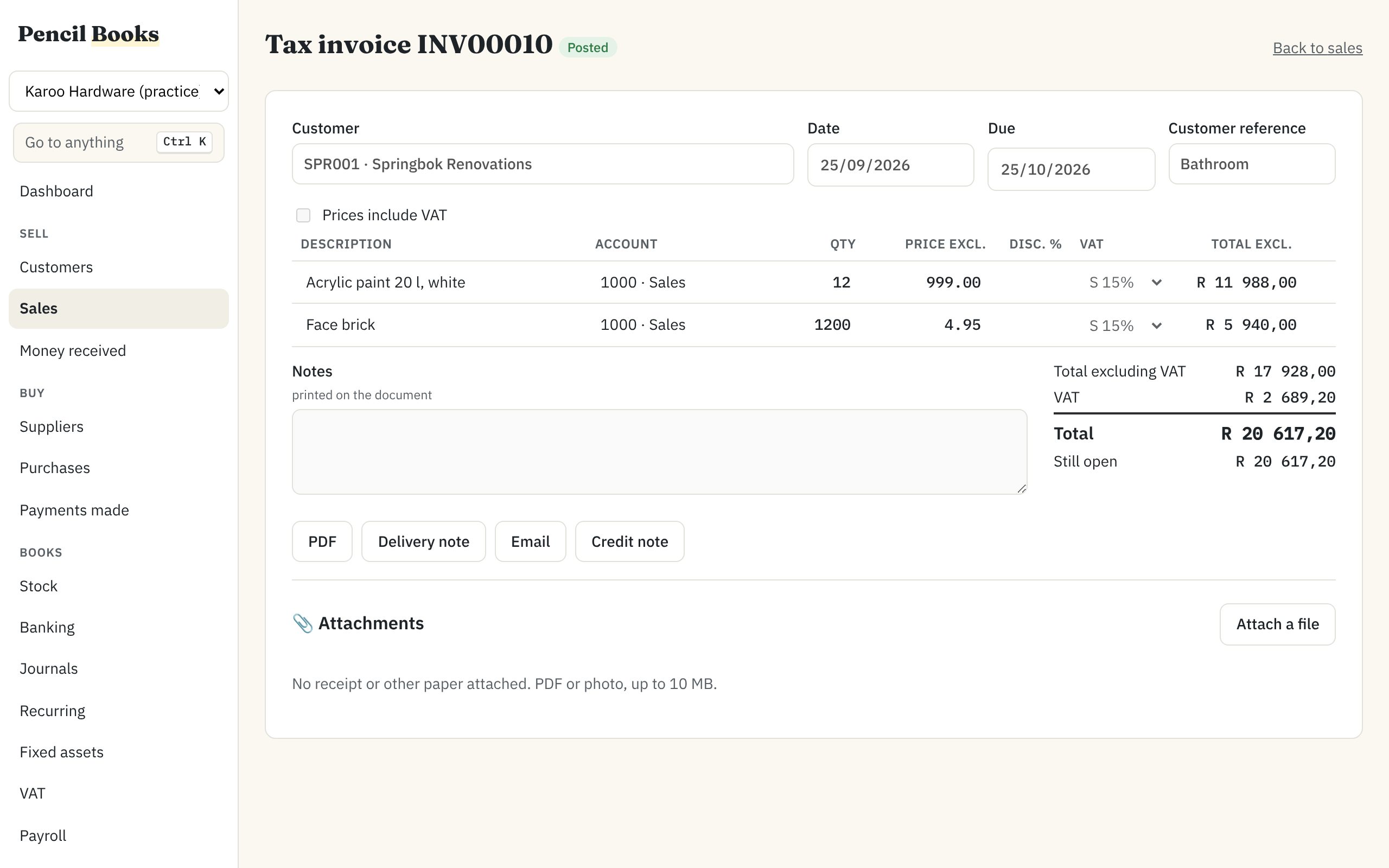
A VAT201 that checks itself before you file
The return builds up as you work. Before you file, it lists what SARS could question: VAT claimed from a supplier with no VAT number on record, large invoices to customers without one. Click any figure to see what is behind it.
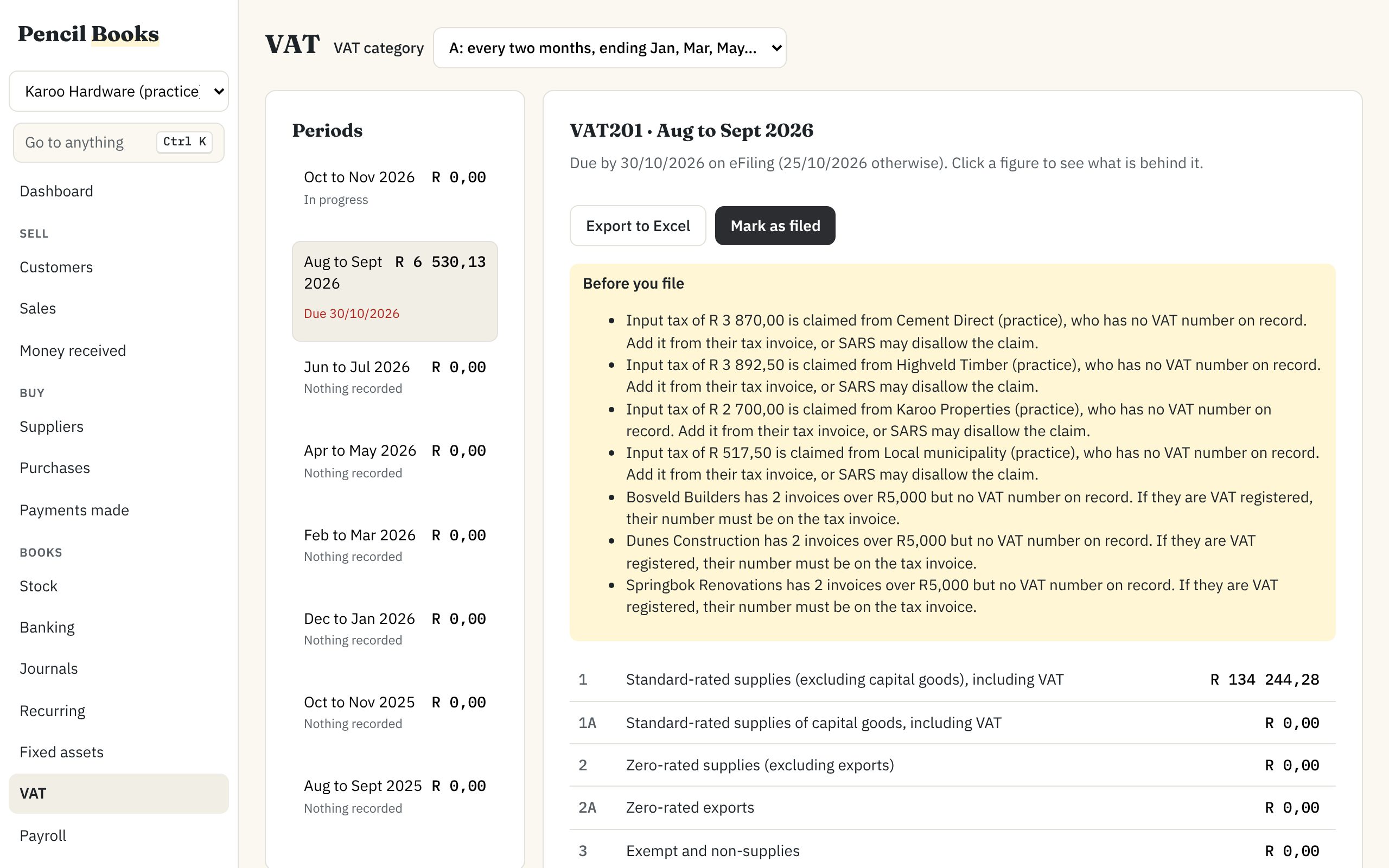
Payroll, if you have employees
Each pay run starts from last month's, so you only enter what changed. PAYE, UIF and SDL worked out from SARS tables you check each year, payslips emailed, and the EMP201 ready.
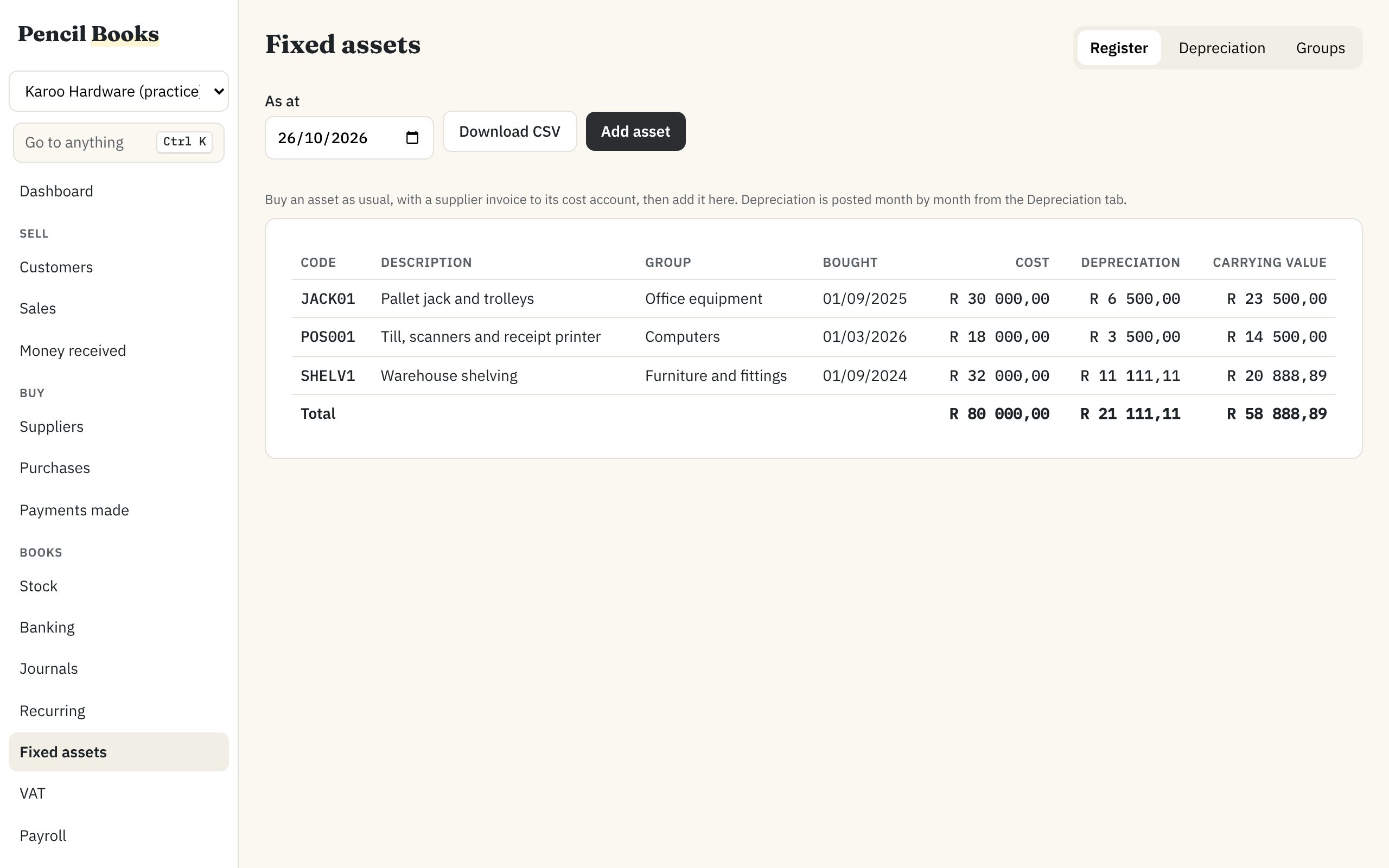
Fixed assets and depreciation
Keep your equipment and vehicles in a register, and post a month's depreciation in one step. Selling or scrapping an asset works out the profit or loss, and the register checks itself against the ledger.
Bank statements that match themselves
Import the statement from your internet banking (CSV, Excel, OFX or QIF). Payments are matched to invoices, and the rest is coded the way you coded it before.
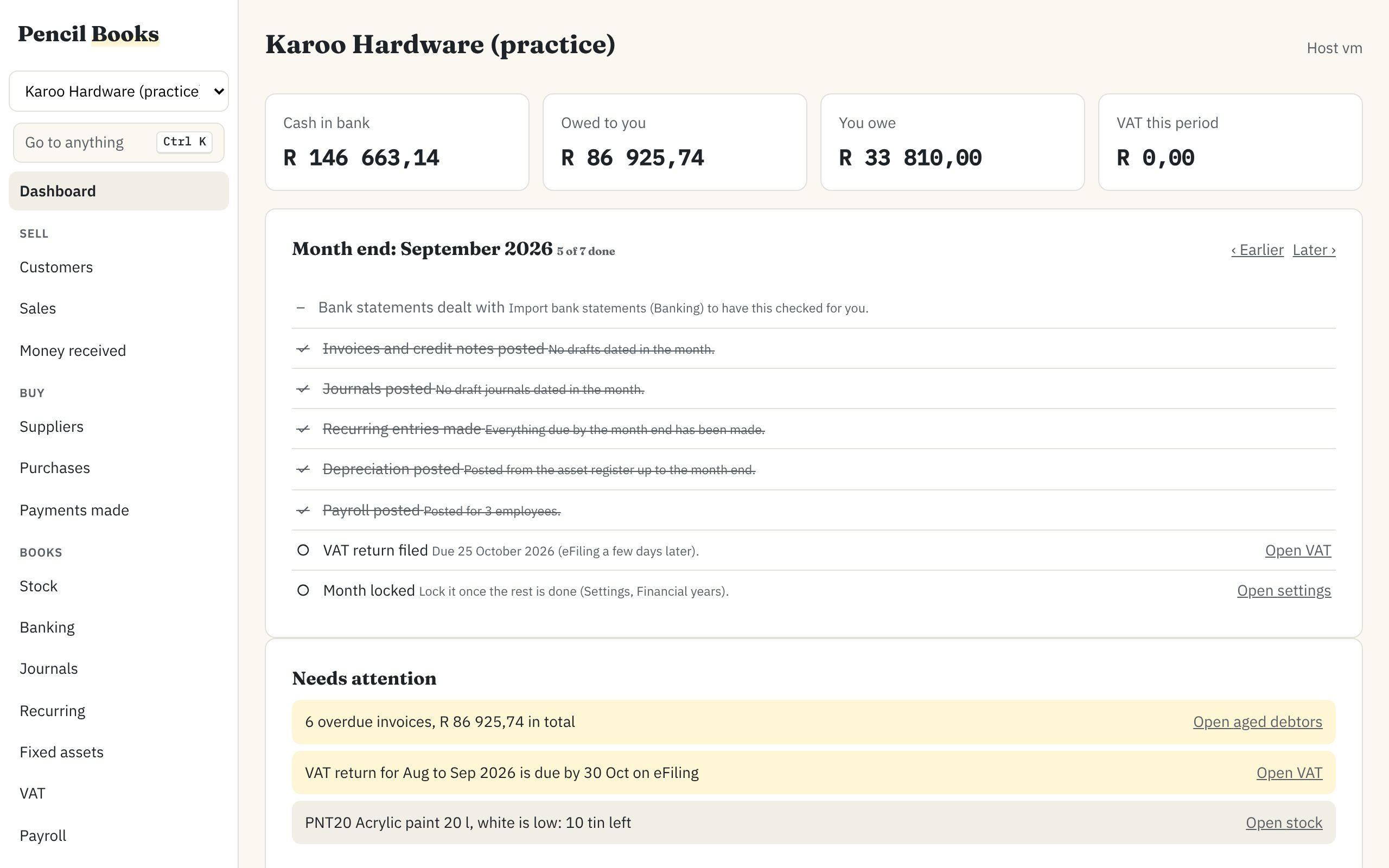
A month end that ticks itself off
Bank done, drafts posted, depreciation and payroll in, VAT filed, month locked: the dashboard sees each one happen.
Several people at once
Everyone sees the others' changes as they happen, sees who else has an invoice open, and never overwrites someone else's save.
Stock, with barcodes
Items, warehouses, price lists and stock on every invoice. Scan a barcode to find the item.
Recurring invoices and statements
Rent and retainers invoiced and emailed every month; statements to every customer with a balance at month end.
Backups and updates looked after
A backup every night and before every update. If an update ever fails, it puts the old version back by itself.
Coming from Pastel
It works the way your office already works
If your office has used Pastel on a network, nothing here will surprise you. The difference is that you can buy it outright again, and that it is being built now, with the offices that use it.
- One computer keeps the books
- The host runs on the office PC or server; everyone else connects over the network, from Windows, a Mac or Linux.
- Typing from the keyboard
- Account codes, Enter to move on, Ctrl K to jump to any customer, invoice or screen.
- Your company comes with you
- We are finishing a tool that brings a Pastel company across. Beta companies are moved with our help, and checked balance by balance.
- Your accountant can keep up
- Trial balance, income statement, balance sheet, aged debtors and creditors, an audit trail of every change, and everything exports to Excel.
How it is set up
One install in the office, then everyone connects
Install the host
On the computer that stays on in the office: Windows 10 or 11, a Mac, or an Ubuntu server.
Connect each computer
The app finds the host on the network. You check a short security code once, and it only ever talks to your host.
Add your people
Administrators, accountants and clerks, each with their own login and what they may do.
Leave it running
Backups every night, updates installed overnight after a backup, and you can always see what changed and who changed it.
Prices
Pay yearly, or buy it outright
Proposed prices. They may change before launch. Prices include VAT where applicable.
Yearly
- 5 users and 1 company
- Everything in the base: invoicing, banking, VAT, reports, email
- Updates and email support included
Outright
- The same as yearly, and it never expires
- Support and updates R 1 500 a year, optional after the first year
- Without it, the version you have keeps working
| Add | What you get | Yearly plan | Outright |
|---|---|---|---|
| More users | Users come in packs of 5 | R 2 700 a year | R 8 000 once |
| Payroll | Up to 25 employees: PAYE, UIF, SDL, payslips, EMP201 | R 1 490 a year | R 3 490 once + R 990 a year for tax tables |
| Stock | Items, barcodes, warehouses, price lists | R 1 200 a year | on request |
Try everything free for 30 days, without a card. Beta companies use it free until 30 June 2027.
The beta
Use it free, and tell us what is missing
The first businesses start in January 2027. We are looking for a handful of offices that use Pastel today and will try Pencil Books alongside it.
- Everything switched on, free until 30 June 2027
- We help move your Pastel company across and check it with you
- A direct line to the people building it
- In return: about an hour a week, and honest feedback
Not ready to try it yet? Fill in the form anyway and we will tell you when it launches.
Questions
What people ask first
Where is my data kept?
On the computer in your office that runs the host, in a folder you can see, backed up every night to a second place you choose. We never hold your books. The only things that reach us are error reports with names and amounts removed, and notes you send us yourself.
Do I need the internet?
Not to work. Everyone on the office network keeps going when the line is down. The host checks for updates and its licence when it can, and keeps working in between.
Can I work from home?
Yes, through your office's VPN or remote desktop, as with Pastel. There is no cloud version, on purpose.
Which computers does it run on?
The host runs on Windows 10 or 11, macOS 13 or later, or Ubuntu 22.04 or later. The app runs on Windows, Mac and Linux, and in any modern browser on the office network.
Does it do the SARS returns?
It prepares the VAT201 field by field, with checks before you file, and the EMP201 for payroll. You file them on eFiling as you do now. Tax tables are updated every year and checked before payroll uses them.
What happens after the beta?
You choose a plan, or stop. Your books stay yours either way: if a licence ends, the program becomes read-only, and you can still open, print and export your reports and back everything up.
Who makes it?
Pencil Books, in South Africa. Write to support@pencilbooks.co.za with any question; a person answers.